
Steno / Shorthand Paper Generator
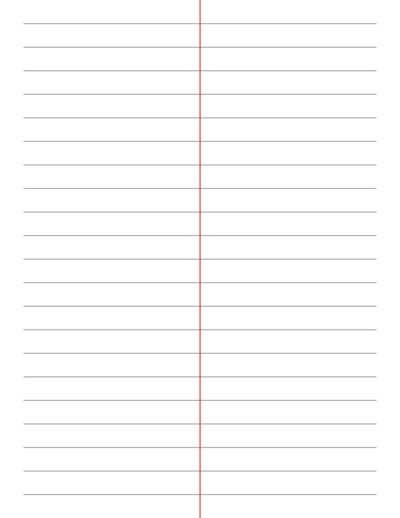
A free online tool to generate custom steno (shorthand) paper with a center margin line, using the standard Gregg or Pitman ruling spacing, fully customizable and ready to print. For quick, easy and ready to download pre-made templates, visit our Grid Papers Gallery section.
Line Thickness
Line Properties
Steno / Shorthand Paper settings
Margin Line Settings
Page Settings
Premium Features
LeftTopRightBottom
Click Regenerate to apply any changes.
Select 'Custom' to enter your own values.
- 'Portrait Layout' : width will be smaller
- 'Landscape Layout' : height will be smaller
You may also like:

Classic Notebook
Cross Stitch
Music Notes Paper
Isometric Dot
Diamond Shape Grid Paper
What is Steno / Shorthand Paper?
Steno paper (also called shorthand paper or stenographer’s notebook paper) is a specially ruled writing paper designed for taking shorthand dictation quickly and legibly. Unlike standard ruled paper, steno paper features a vertical margin line running down the center of the page, dividing each page into two narrow columns.
This layout lets a stenographer or note-taker fill one column at a time, making it faster to flip through and reference notes, and easier to keep symbols compact and aligned.
The horizontal line spacing on steno paper follows conventions tied to specific shorthand systems:
- Gregg Ruled: 1/3″ (0.333 inch) line spacing – 3 lines per inch, the traditional spacing for Gregg shorthand
- Pitman Ruled: 1/2″ (0.5 inch) line spacing – 2 lines per inch, the traditional spacing for Pitman shorthand
Regular Ruled Paper vs. Steno Paper
Regular ruled or notebook paper has horizontal lines running edge-to-edge with no column division. Steno paper adds a vertical center margin line that splits the page into two columns, along with horizontal spacing tuned specifically to shorthand systems (Gregg or Pitman) rather than general handwriting. This makes it purpose-built for rapid, compact note-taking rather than everyday writing.
Common Uses
- Shorthand dictation and practice: the traditional use, for students and professionals learning or practicing Gregg or Pitman shorthand
- Court reporting and stenography training: reinforcing the column format used in real stenographer’s notebooks
- Fast note-taking: some note-takers use the two-column steno layout even without shorthand, for organizing questions/answers or notes/action items side by side
- Interview and meeting notes: the divided column can separate spoken content from personal annotations
- Journaling with structure: a compact column format for quick daily entries
Steno / Shorthand Paper Generator
An online steno paper maker to create custom shorthand ruled paper printable built for Gregg and Pitman shorthand systems, with a center margin line to separate practice columns. Simply customize, download and print. Options include printing on a variety of paper formats like A3, A4, A5, Letter Size, and any custom size of your choice.
You can adjust the line spacing, thickness, style (solid, dashed, or dotted), color, margin line position, and page layout to match your exact note-taking or practice needs.
How to Generate Steno Paper Using This Generator
This generator is easy to use. Start by setting the Line Thickness and Line Properties. Choose your line spacing in inches or millimeters, or simply select the preset Gregg Ruled (1/3″) or Pitman Ruled (1/2″) spacing, and pick a line style (solid, dashed, or dotted) and color.
Next, configure the Margin Line Settings. Set the thickness, position (from 20% to 80% across the page, with 50% as the traditional centered column), extension, and color of the vertical divider line.
Finally, adjust the Page Settings like the layout to Portrait or Landscape, define your margins, and optionally force the grid to stay vertically centered. Check out the Premium Features for advanced options like custom margins per side, page color, first blank page, multiple copies, and mirrored margins.
What Paper Size Can I Print the Steno Paper On?
You can print on a variety of paper sizes including Letter Size, A4, A5, Half Letter, and more. As part of the Premium features, you can also set A3, A6, B6, Legal, Tabloid, Midori TN, Personal, Pocket, or a fully custom paper size of your own.
