
Multi-Section Lined Notes Maker
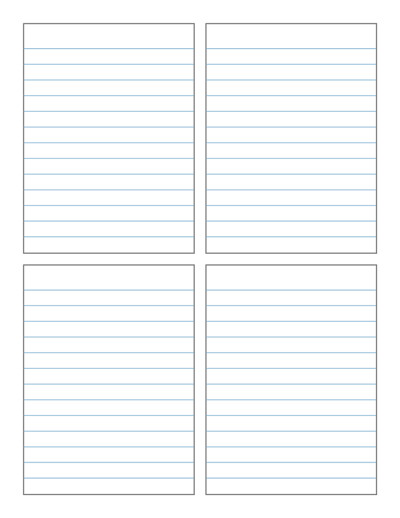
Create your own printable lined notes templates with multiple sections on one page. Choose a grid layout such as 2×1, 3×1 or 2×2, then customize the spacing between boxes, writing line height, borders and other settings. Generate a notes page that fits the way you want to write, organize or study.
For quick, easy and ready to download pre-made templates, visit our Grid Papers Gallery section.
No. of Sections / Grid
Section Spacing
Outer Border Settings
Line Settings
Padding inside each box (in)
Page Settings
Premium Features
LeftTopRightBottom
Click Regenerate to apply any changes.
Select 'Custom' to enter your own values.
- 'Portrait Layout' : width will be smaller
- 'Landscape Layout' : height will be smaller
You may also like:

Equilateral Triangle Dotted Grid

Comic Strip
Plain Grid
Isometric Dot
Squares Grid Paper
Create Custom Printable Lined Notes
Our Multi-Section Lined Notes Template Maker lets you create printable note-taking pages divided into multiple lined sections. Instead of having one large writing area, you can split the page into equal-sized boxes and use each section for different notes, subjects, ideas or tasks.
Choose a grid layout such as 2×1, 3×1, 2×2 or another available arrangement. Each section contains evenly spaced writing lines, giving you an organized place to write while keeping different types of information separate.
Customize Your Notes Layout
You can customize the template to suit your writing and note-taking needs. Select the number of rows and columns, adjust the horizontal and vertical space between sections, and change the line spacing inside each box.
You can also choose whether to show an outer border around each notes section. Adjust the border and writing-line settings to create anything from a simple lined page to a clearly divided worksheet-style layout.
You can customize settings such as:
- Number of rows and columns
- Horizontal spacing between columns
- Vertical spacing between rows
- Writing line height and spacing
- Writing line color and thickness
- Outer box borders
- Border thickness and color
- Space around the writing lines
- Paper size and page layout
Once you have the layout you want, generate and download the template for printing.
Uses for Multi-Section Lined Notes
Dividing a page into separate lined areas can make notes easier to organize. Each box can be used for a different topic without needing a separate sheet of paper.
These templates can be useful for school notes, study sheets, lesson planning, brainstorming, meeting notes, journaling, project planning and everyday writing. Students can use one section for key ideas, another for definitions and another for examples. Teachers can create simple worksheets or divided writing pages for classroom activities.
A 2×1 layout works well when you want two large note sections. A 3×1 layout can separate three topics across a page, while a 2×2 grid provides four individual writing areas for categories, subjects, questions or ideas.
Make a Lined Notes Template That Fits Your Needs
There is no single note-taking layout that works for everyone. Some people prefer large writing areas, while others find smaller divided sections easier to organize. This maker gives you control over both the page layout and the ruled lines inside each section.
Experiment with different grids, gaps and line spacing to create a clean printable notes page for school, work, home or personal use.
