
Sectioned Checklist Maker
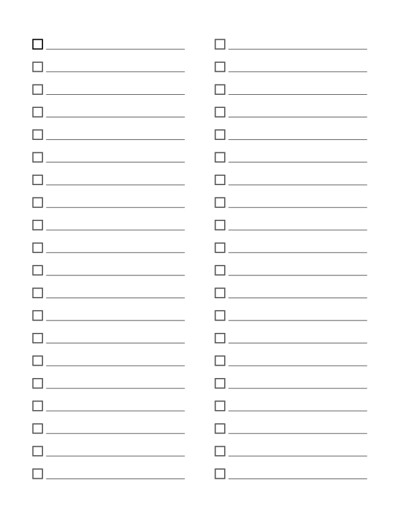
Create sectioned checklist template with multiple checklist areas on one page. Choose a layout such as 2×1, 3×1 or 2×2, then customize the number of checklist items, section spacing, borders and other settings. Download and print a checklist for tasks, planning, shopping, school and more.
For quick, easy and ready to download pre-made templates, visit our Grid Papers Gallery section.
No. of Sections / Grid
Section Spacing
Lines per Section
Title / Header
Outer Border Settings
Checkbox Settings
Line Settings
Padding inside each box (in)
Page Settings
Premium Features
LeftTopRightBottom
Click Regenerate to apply any changes.
Select 'Custom' to enter your own values.
- 'Portrait Layout' : width will be smaller
- 'Landscape Layout' : height will be smaller
You may also like:
Isometric Graph Paper

Equilateral Triangle Dotted Grid

Numbered Handwriting

2 Y-Cycles Log-Log Graph

Multipurpose Grid with Boundary
Create a Multi-Section Printable Checklist
This online Sectioned Checklist Maker lets you divide a page into multiple checklist areas. Each section contains a set of checkboxes with writing lines, making it easy to organize different types of tasks, lists or activities on a single page.
Choose a grid layout such as 2×1, 3×1, 2×2 or another available arrangement. All sections are evenly sized, giving your printable checklist a clean and organized appearance.
Customize Your Checklist Layout
You can customize the page to match the type of checklist you need. Choose the number of rows and columns, adjust the horizontal and vertical space between sections, and set how many checklist items appear in each section.
You can also customize options such as section borders, border radius, checkbox size, line spacing, writing lines and page margins. This makes it possible to create anything from two large side-by-side lists to several smaller checklists on the same sheet.
Organize Different Lists on One Page
A sectioned checklist is useful when one long list is not enough. Instead, related tasks can be grouped into separate areas.
For example, a 2×2 checklist can provide four areas for Work, Home, Shopping and Personal tasks. A student might use separate sections for different subjects, while a teacher could use them for classroom tasks, assignments or activity groups.
You can also leave the section headings blank and write your own titles after printing.
Uses for Sectioned Checklist Templates
These printable checklists can be used for many everyday, school and work activities, including:
- Daily and weekly task lists
- To-do lists
- Shopping and grocery lists
- School assignments and homework
- Classroom checklists
- Cleaning and household chores
- Work and project tasks
- Event and party planning
- Packing and travel lists
- Meal planning and preparation
- Habit and routine checklists
- Goal and priority lists
Create a Checklist That Fits Your Tasks
Different tasks need different amounts of space. A 2×1 layout provides two large checklist sections, while a 2×2 layout gives you four separate lists on one page. Layouts with additional columns can be useful for shorter lists or categories.
Adjust the number of checklist items and the spacing to create more room for writing or fit more tasks on each page. Once the layout is ready, generate your custom checklist, download it and print it whenever you need a fresh copy.
