
Storyboard Paper Maker
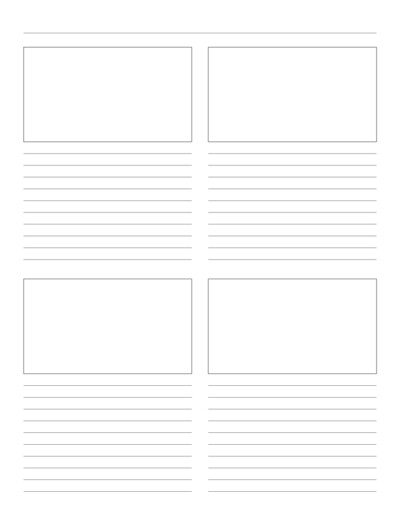
Storyboard paper is a way to represent a story by breaking it into small chunks in a certain sequence. It allows the illustrator or author to focus on each chunk separately without any distractions. This is an effective way of storytelling, by visually presenting the information, one cell at a time in one direction.
Line Thickness
Layout Settings
Text Line Properties
Page Settings
Premium Features
LeftTopRightBottom
Click Regenerate to apply any changes.
Select 'Custom' to enter your own values.
- 'Portrait Layout' : width will be smaller
- 'Landscape Layout' : height will be smaller
Pre-made Templates
Single Column Story Board Paper

Storyboard Paper

Storyboard Template Paper
You may also like:
Axonometric Graph Paper
Cornell Lined Notes Paper

Calligraphy Guideline Paper
Square Dots Grid
Plain Grid Bold Major Axis
What is Storyboard Paper?
Storyboard paper is a special type of paper used to plan out visual sequences, like for movies, animations, or even presentations. It typically consists of a series of boxes arranged in a grid, where each box represents a scene or a shot. These boxes are where you can sketch or write what happens in that part of the story, like a comic strip or movie scene.
It is used for visualizing and organizing ideas for movies, animations, videos, or any kind of visual project.
Uses of storyboard paper
A storyboard is graphical organizer that comes with a set of rectangles and horizontal lines. Authors and storytellers use these rectangle boxes to visually represent the story, and the corresponding horizontal lines are used to write the script for each box.
- Planning Visuals: It’s mainly used by filmmakers, animators, or anyone making videos to plan each scene before shooting or drawing.
- Organizing Ideas: It helps to organize the sequence of events or shots in the correct order.
- Communication Tool: It helps to communicate the vision clearly to others, like team members or actors, so everyone understands the sequence.
- Problem Solving: It helps in identifying potential problems early on, like awkward scene transitions or unclear shots, before production starts.
Storyboard Paper Generator
Create your own storyboard using our Storyboard generator. It’s very easy to create your own printable paper when you make a few adjustments.
Frequently Asked Questions
Q. What types of layouts and panel counts can I create for my storyboards?
Through the customization panel, you can configure various grid structures, aspect ratios, and panel arrangements (such as standard 3-panel, 4-panel, or multi-panel layouts) to fit your specific project pacing, whether you are blocking out scenes, drafting comic strips, or planning video edits.
Q. Can I add specific notes, captions, or dialogue areas beneath the visual panels?
Yes. You can easily toggle and customize dedicated lines or text blocks underneath or beside each frame, providing structured space to write out dialogue, audio cues, camera directions, or action descriptions for every panel.
Q. What paper formats and dimensions are available for download?
The generator supports common page sizes including US Letter, A4, A5, and Half Letter for free users, with specialty sizes and custom large-format dimensions available through the paid version.
Q. In what format will my customized storyboard templates be saved?
Once you have finalized your frame counts, aspect ratios, and margin settings, the generator compiles your layout into a high-resolution, print-ready PDF file that you can instantly download for your creative projects.
Q. Is the storyboard template generator free to use?
Most core features are completely free, allowing you to use common page sizes (like Letter, A4, A5, and Half Letter) and download templates up to your daily free download limit. For access to advanced custom dimensions, complex multi-panel layouts, and unlimited daily downloads, a paid version is available.
Q. Is this template suitable for video production, animation, and comic book creation?
Absolutely. The clean framing and dedicated notation areas make it ideal for filmmakers, animators, UX designers, and comic illustrators looking to map out narrative flow, screen composition, and pacing before moving to digital production.
