
Engineering Graph Paper Maker
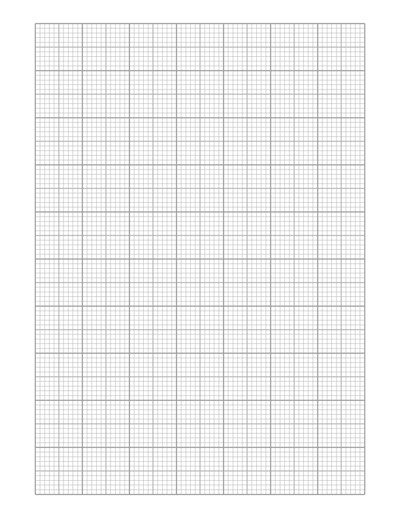
An online square ruled graph paper generator to create custom cartesian graph paper or square grid paper printable. Simply customize, download and print. Print on variety of paper formats like A3, A4, A5, Letter Size and any custom size of your choice.
Control the line spacing, thickness, color, borders, margins and more. For quick, easy and ready to download pre-made templates, visit our Graph Papers Gallery section.
Large Grid
Medium Grid
Small Grid
Page Settings
Premium Features
LeftTopRightBottom
Click Regenerate to apply any changes.
Select 'Custom' to enter your own values.
- 'Portrait Layout' : width will be smaller
- 'Landscape Layout' : height will be smaller
Pre-made Templates

Graph paper color

Graph paper
You may also like:
Cross Grid
Square Semi-Log Graph

Graph Paper

Multipurpose Grid with Boundary

Perspective Grid X Offset
What is Engineering Graph Paper?
Engineering graph paper is a type of paper that has a grid of fine lines printed on it, often with 4, 5, or 10 squares per inch. The lines are usually very faint, allowing them to be easily erased or not show up when copied.
These lines are used to help draw precise and accurate diagrams, drawings, or charts. Unlike regular graph paper, which typically has square grids, engineering graph paper often has a grid with small, evenly spaced lines in a way that helps engineers and designers create detailed, scaled drawings.
It’s like a super-accurate grid that helps you create things with extreme precision and specifically designed for technical drawings and calculations.
Uses of Engineering Graph Paper
- Designing: Engineers, architects, and designers use it to draw and plan things like blueprints and structures.
- Precise measurements: The grid helps make sure the measurements and angles are correct when drawing or calculating.
- Graphs and Charts: It’s used to make graphs, especially for projects that need to be very accurate.
- Creating Models: Engineers can use it to sketch parts or components before making real models.
Printable Graph Paper Maker
Make your own custom graph paper with this Graph Paper Maker Tool. You can change the line thickness, color, spacing for each grid style. You can also adjust the paper orientation, paper size, margins etc. After customizing, you can download and print them on paper size of your choice.
Frequently Asked Questions
Q: What page formats and sizes are supported by this generator?
The generator supports a wide variety of standard global and imperial paper sizes, including A3, A4, A5, Letter Size, Legal, Tabloid, Ledger, and more. You can also specify custom dimensions to match any unique printing or project requirement.
Q: How do I customize the heavy or major grid lines on my engineering paper?
You have full control over the grid hierarchy. Through the customization panel, you can adjust line spacing, thickness, and color for different grid tiers (small, medium, or large/heavy grids) to highlight recurring sets of squares for easier measurement counting.
Q: Can I choose between metric and imperial measurement systems?
Yes. You can seamlessly switch between measurement units such as inches (imperial) or millimeters/centimeters (metric) depending on whether your technical drawings require standard or metric scaling.
Q: In what format will my customized engineering graph paper be delivered?
Once you finalize your layout configurations (such as margins, line color, and spacing), the generator allows you to instantly download your custom layout as a high-quality, ready-to-print PDF file.
Q: Is this engineering graph paper generator free to use?
Most core features are completely free, allowing you to adjust parameters, test grid colors, use common page sizes (like Letter, A4, A5, and Half Letter), and download templates for your engineering projects, coursework, or technical drafts without any hidden costs.
Q: Can I use this paper for professional technical drawings before moving to CAD?
Absolutely. The precise grid alignment makes it ideal for manual hand-drafting, component prototyping, aligning multi-step mathematical calculations, and making scaled preliminary sketches before committing your designs to digital CAD software.
