
Index Card Maker
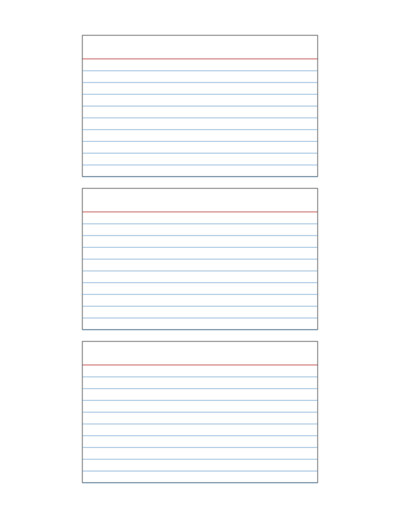
A free online tool to create custom printable index cards. Set your own card size (3x5, 4x6, or custom), arrange multiple cards per page, and add ruled lines with a header line, ready to print and cut.
You can adjust the card size, spacing, line ruling, header width, colors, and more. For quick, easy and ready to download pre-made templates, visit our Grid Papers Gallery section.
Card Dimensions
No. of Cards
Card Block Settings
Header Settings
Line Settings
Page Settings
Premium Features
LeftTopRightBottom
Click Regenerate to apply any changes.
Select 'Custom' to enter your own values.
- 'Portrait Layout' : width will be smaller
- 'Landscape Layout' : height will be smaller
Pre-made Templates
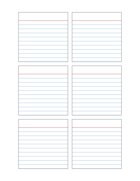
3"x3" Index Cards
7"x5" Index Card
You may also like:
Lined Notes with Border
Squares Grid Paper
4 Lines Handwriting Worksheet
Calligraphy Practice Paper Template
Fish Scale Pattern Paper
What is an Index Card?
An index card is a small, sturdy card traditionally used to record short pieces of information in a compact organized format, most commonly known in the classic 3×5 inch and 4×6 inch sizes.
Index cards typically feature a header line near the top (for a title, term, or heading) and ruled lines below it (for notes, definitions, or details), making them easy to scan, sort, and reference one at a time.
Rather than buying pre-printed packs in fixed sizes, this generator lets you build a custom, print-your-own version with as many cards as fit on a page, in the exact size and ruling you need.
Common Uses
- Flashcards for studying: vocabulary, formulas, definitions, and test prep, one term per card
- Recipe cards: a header line for the recipe name and ruled space for ingredients/steps
- Note-taking and research: organizing quotes, sources, or research points one idea per card
- Classroom activities: teachers creating vocabulary cards, sight word cards, or quiz prompts
- To-do and task cards: for kanban-style task boards or daily planning systems
- Contact or reference cards: quick-reference cards for names, addresses, or key facts
- Library and cataloging-style cards: for hobbyists organizing collections, recipes, or references
Index Cards Generator
Our Index Card Generator lets you create your own custom printable index cards. You can set the card dimensions, arrange the cards in rows and columns, and add ruled writing lines with a header line at the top.
Start with Card Dimensions to set the width and height of each card in inches (e.g., 3″x5″ or 4″x6″, or any custom size).
Next, set the Number of Cards, i.e. define how many rows and columns of cards should appear on a single page.
Configure the Block Settings to set the border thickness and spacing between cards, then use Header Settings to set the thickness and width of the header line at the top of each card (for titles or headings).
In Line Settings, choose your line spacing in inches or millimeters, set thickness, side padding, and color, and toggle whether ruled lines are shown at all; useful if you want blank cards instead.
After customizing the layout, download your finished index cards, and print them on a variety of paper sizes, including A3, A4, A5, Letter Size, or any custom paper size of your choice.
